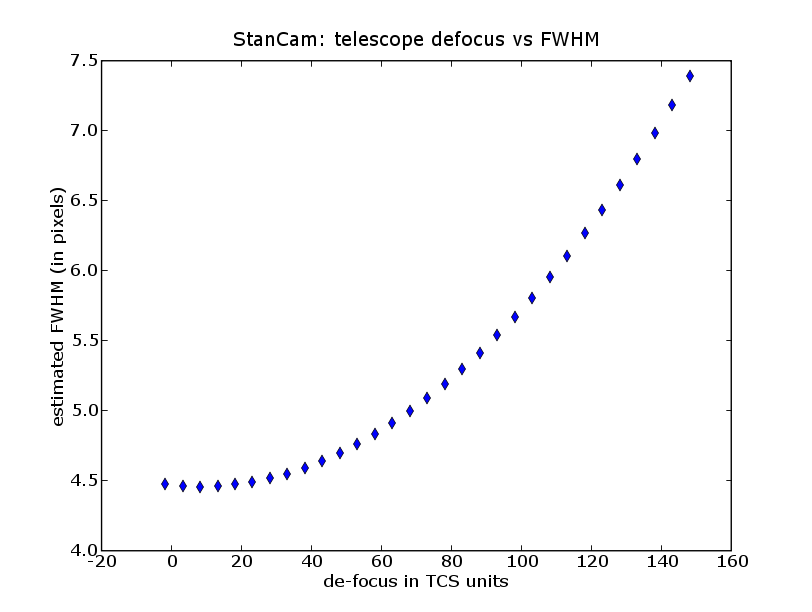
A good first guess is focusexpose 23000 100 15
The image should look like this:
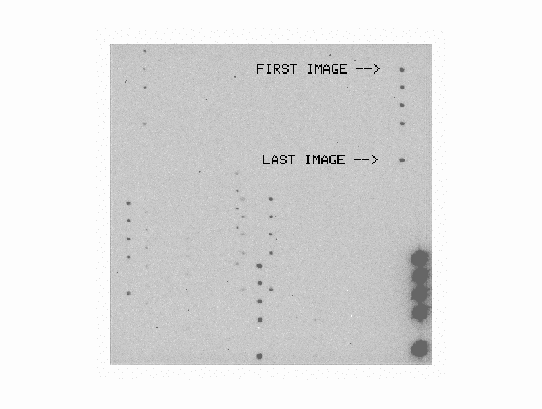
E.g. focus-auto 100
Take another focus sequence with finer focus step size if needed.
If you have problems with the BIAS/imexam you can use iraf/imexam at florence.
- in florence xterm window type xgterm &
- in xgterm window type ecl and ds9 &
- display saved stancam image displ /data/stancam/STnnmmxxxxx[1] 1 fi+
where nnmmxxxxx stands for the prefix and the number of the image
(see the testimage " /data/stancam/EXfocus.fits") - type imexam and move the cursor on top of the star and press r for radial profile and/or a or , for aperture photometry
- quit imexam by pressing q